

Delete Your Tapas Guru Account & Personal Data
At Tapas Guru (operated by Sodaru Technologies Private Limited), we uphold the highest standards of data sanctity and user sovereignty. You have the absolute right to permanently delete your account and expunge all associated personal data at any time.
Important Notice Before You Proceed
Account deletion is permanent and irreversible. Once completed, you will permanently lose access to active astrologer chat histories, Vedic birth charts (Kundalis), custom pooja sankalpa records, unused wallet/chat balances, and store loyalty credits.
If you simply wish to take a temporary break, you may choose to Deactivate your account instead via the app, which pauses notifications and can be restored upon your next login.
How to Delete Your Account in the Tapas Guru App
The fastest and most direct way to delete your account and personal data is through the Tapas Guru mobile app on Android or iOS.
Open Tapas Guru App
Launch the Tapas Guru mobile app on your Android or iOS device and ensure you are logged into your account.
Go to Profile / Settings
Tap your Profile or Settings icon in the navigation bar to access account options.
Open 'Account Settings'
Select the 'Account Settings' option (marked with the gear ⚙️ icon).
Tap 'Delete My Account'
Tap the highlighted 'Delete My Account' option with the red trash can icon at the bottom of the list.
Review Notice & Confirm
Review the cautionary notice ('Deleting your account is permanent and cannot be undone') and confirm the final deletion prompt.
Once confirmed in the app, your active session is immediately invalidated, your authentication tokens are revoked, and all personal data is scheduled for permanent erasure.
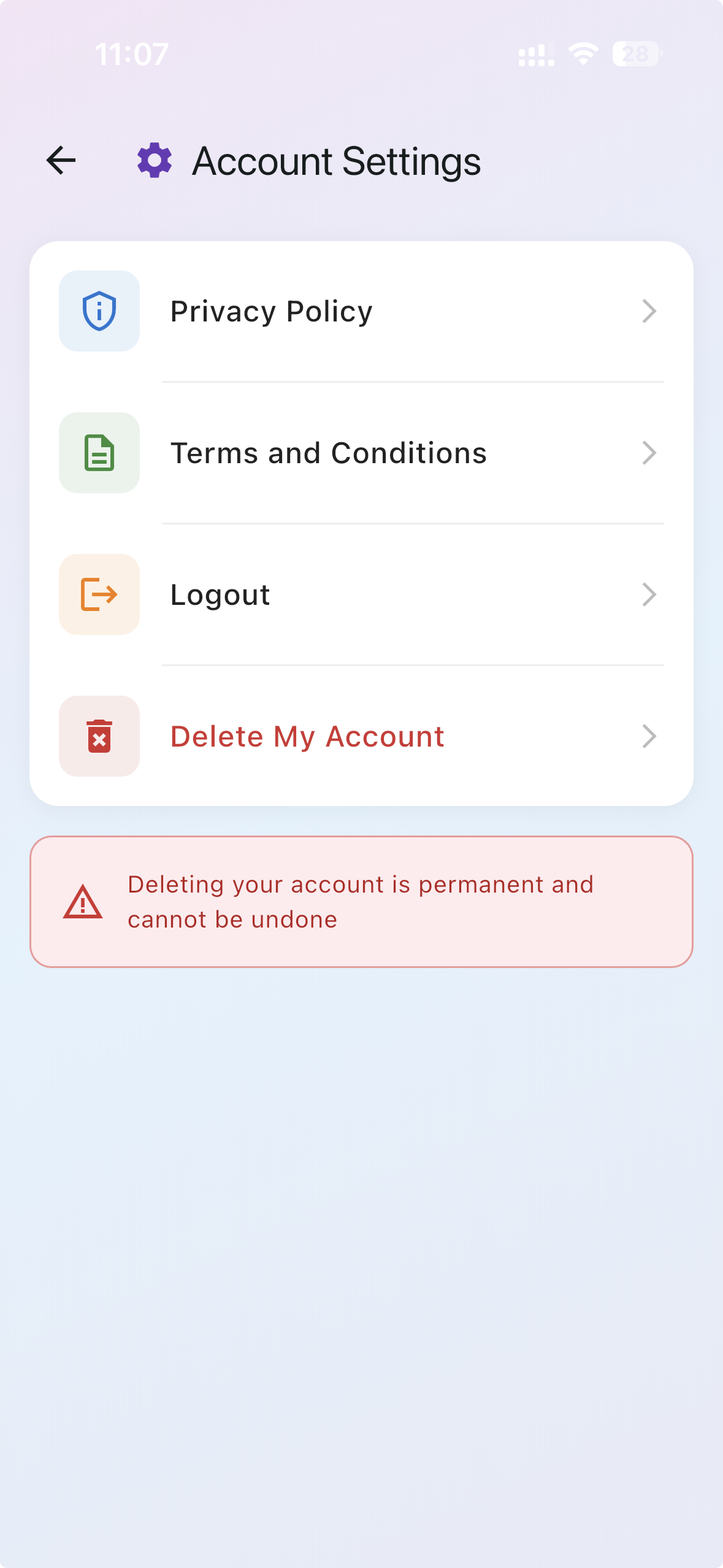
Settings → Account Settings → Delete My Account
Cannot Access the App? Contact Us Directly
If you have uninstalled the Tapas Guru app, lost your device, or are unable to log in, you can request account deletion by contacting us through any of our official channels below. Simply share your registered mobile number or email address with our team.
Email Support Desk
Send a deletion request from your registered email ID with your registered mobile number.
customercare.tapas@sodaru.com
WhatsApp Support
Chat directly with our support team on WhatsApp for quick verification and account deletion.
+91 6366319724 (Quick Response)
Phone Helpline
Speak directly with our grievance & customer care team during working hours.
Mon – Sat, 10:00 AM – 7:00 PM IST
Looking for other support topics or our Bengaluru office address? Visit our Contact Us page.
Data Collection & Deletion Transparency
Full disclosure on what happens to your data upon account deletion, in compliance with Google Play Store User Data policies.
What Data is Permanently Deleted
Expunged from active production systems within 30 days
Identity & Profile Records
Full name, registered phone number, email address, profile picture, gender, and language preferences.
Astrological & Birth Data
Date of birth, exact birth time, birth coordinates/city, generated Janma Kundali (birth charts), planetary positions, and saved family member horoscopes.
Consultations & Chat Transcripts
All private 1-on-1 chat logs, astrologer voice notes, call records, question histories, and remedial recommendations.
Rituals & Prayer Sankalpas
Specific prayer intentions, gotra entries, family names entered for online poojas, and personalized sankalpa videos.
App Credentials & Cache
Authentication tokens, push notification FCM tokens, device identifiers, and stored application preferences.
What Data May Be Retained & Why
Retained strictly as required by applicable laws
Financial & Tax Invoices
Statutory Legal RequirementOfficial tax invoices, GST details, payment gateway order IDs, and transaction receipts are retained for up to 7 years as mandated by Indian Corporate, Tax, and Financial Audit laws.
Fraud Prevention & Dispute Records
Security & Risk ManagementAnonymized transaction timestamps and chargeback records are retained solely to prevent payment fraud, investigate unauthorized chargebacks, and comply with law enforcement requirements.
Non-Commercial Pledge:
Retained financial data is strictly quarantined, never used for marketing, personalization, or profiling, and is automatically expunged once statutory retention mandates expire.
Account Deletion Timeline & Retention Periods
Session Revocation
Your account is immediately signed out from all active devices. Login credentials and notification tokens are disabled.
Primary Database Wipe
All personal profile records, birth charts (Kundalis), chat transcripts, and prayer logs are purged from all production databases.
Backup Rotation Purge
Encrypted disaster recovery backups overwrite and completely cycle out any remaining residual records.
Application: Tapas Guru (Android & iOS) · Developer / Entity: Sodaru Technologies Private Limited
Registered Office: Bengaluru, Karnataka, India · Email: customercare.tapas@sodaru.com
This account deletion policy is published in full accordance with Google Play Store User Data and Account Deletion Policy requirements.